 Four Letter Records
Beat Key
FLR·003YouTube to MP3
with the BPM/Key
Paste a YouTube link and get an MP3 named with its tempo and key. Drop in audio you already have, or let it listen to whatever is playing.
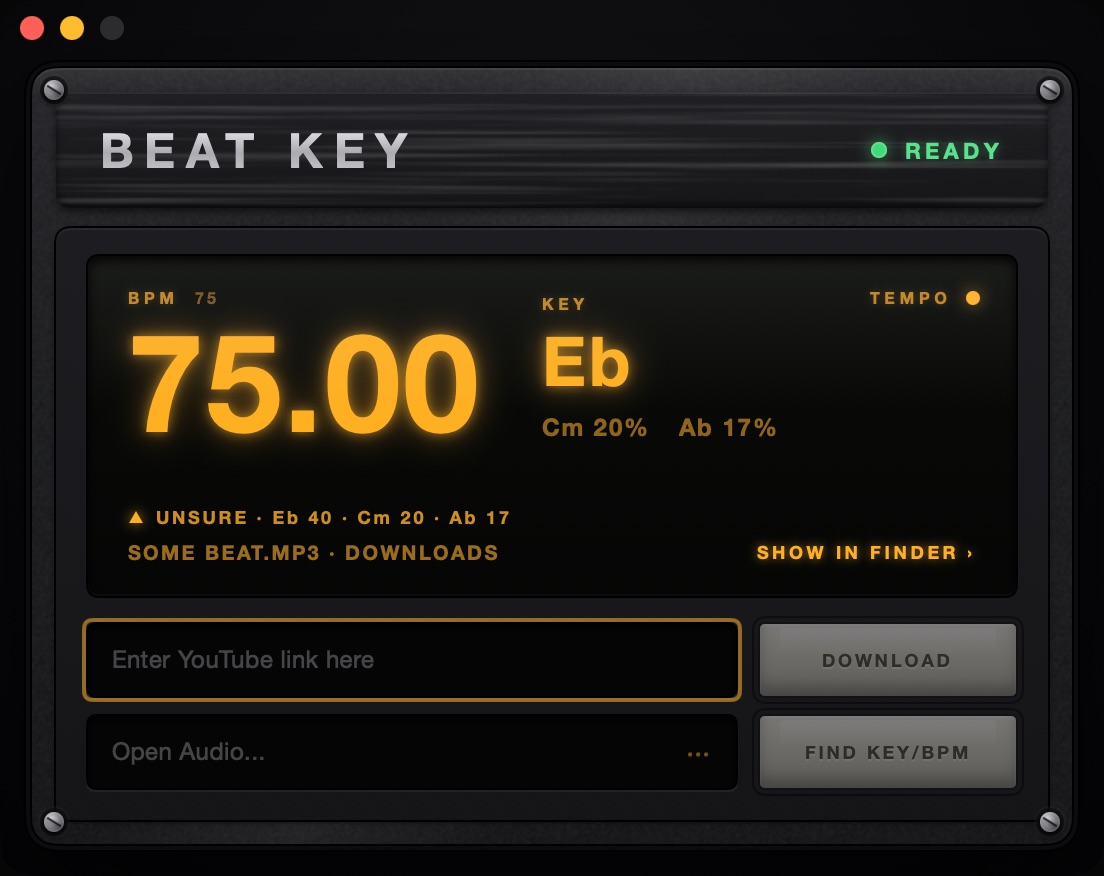
Three keys, not one.
Key finders disagree. Beat Key gives you its top three keys, each with a confidence score.
- All three in the file name.Some Beat (140.0 BPM Cm Eb Gm).mp3
- Right more often.The right key is in those three on 92% of the GiantSteps+ benchmark.
- You pick.Click the second or third key and it becomes the key for everything you send.
- Your files too.Drop audio on the window or the Dock icon. MP3, WAV, AIFF, FLAC, M4A, OGG, MIDI, even video. The file is never changed.
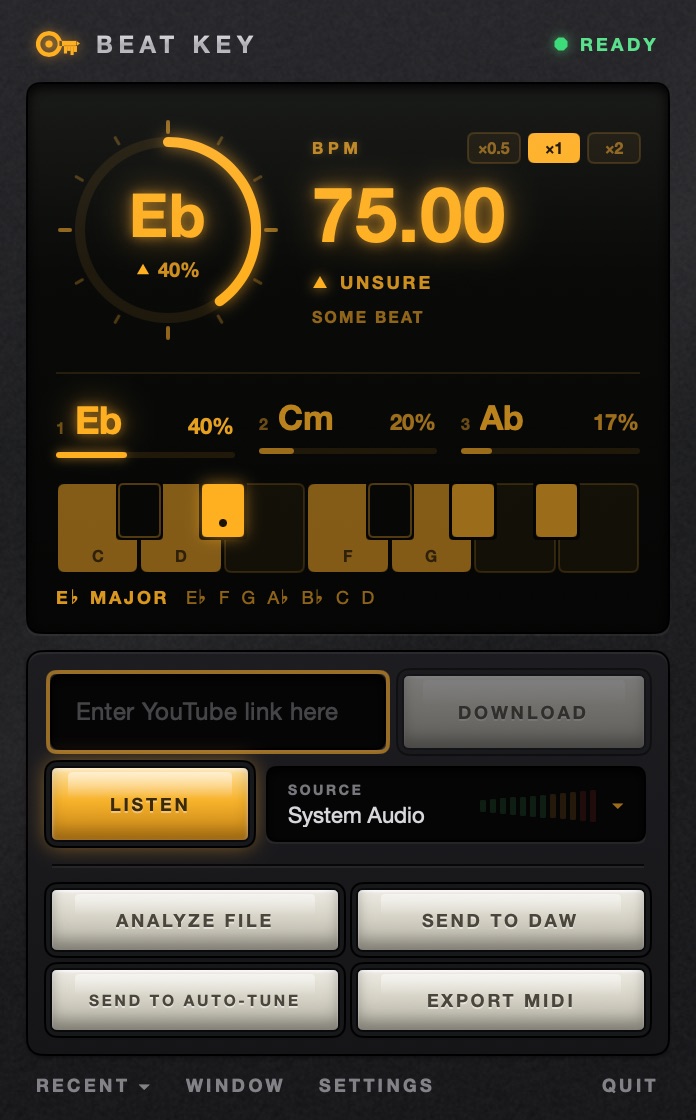
It listens, too.
Press Listen and Beat Key reads the tempo and key of whatever is playing, as it plays. Nothing is recorded or saved.
- Any source.Everything your Mac plays (macOS 13 or later), or a microphone or interface you pick.
- In the menu bar.The key and BPM sit up top, and the whole panel is one click away.
- Know when to trust it.Green octagon: locked. Amber triangle: unsure. Red circle: still listening.
- Down to the decimal.BPM to two places, with half and double time a click away. Tuning in cents against A = 440, 432 or your own reference.
Straight into your session.
Send to DAW puts the tempo and key in the DAW you used last, or in every one that is open.
Tempo and key
Pro Tools, Logic Pro, Studio One and Ableton Live 12.
Tempo
REAPER, Bitwig Studio and Live 11. Neither REAPER nor Bitwig has a project key.
A MIDI file
FL Studio, Reason and Cubase get a small MIDI file with the tempo and key to drag in. Export MIDI makes one for any DAW.
Analyze Selection
Reads the clip you have selected in Pro Tools, Ableton Live or REAPER.
Send to Auto-Tune
Hands the key and your reference pitch to Auto-Tune Pro with Auto Key on, and saves a Beat Key preset for Waves Tune.
From any app
Shortcuts for all of it, like ⌃⌥⌘K to listen. Change them in Settings.
Free, and it keeps working.
Any Mac
One download runs natively on Apple Silicon and Intel, macOS 12 or later.
Keeps itself working
Beat Key updates itself, and its downloader too. If anything looks off, Beat Key ▸ Run Doctor checks it for you.
Free, with an account
Our free tool for everyone with a Four Letter Records account. Make one with just your email.
macOS asks for a permission only when you use the feature that needs it: Microphone to listen to a mic or interface, Screen & System Audio Recording to listen to your Mac (sound only, never the screen), Accessibility to send tempo and key to Pro Tools, Logic Pro or Studio One.
For downloading audio you have the right to use, and for finding the key and BPM of your own files.
Beat Key is free and open source (AGPL-3.0). Source code and licences.
Get Beat Key
Free. Sign in to your Four Letter Records account and download it.
- Free
- macOS 12 or later
- Apple Silicon + Intel, one download
- ~390 MB disk image
First launch: open the disk image and drag Beat Key to Applications. It is signed and notarized by Apple, so macOS asks once, “Beat Key is an app downloaded from the Internet. Are you sure you want to open it?” Click Open. Some videos are age-restricted: for those, Beat Key asks you to sign in to YouTube inside the app, once.
Signed in, it downloads straight away. New here? Enter your email, open the sign-in link we send, and the download is on your account page. No password.